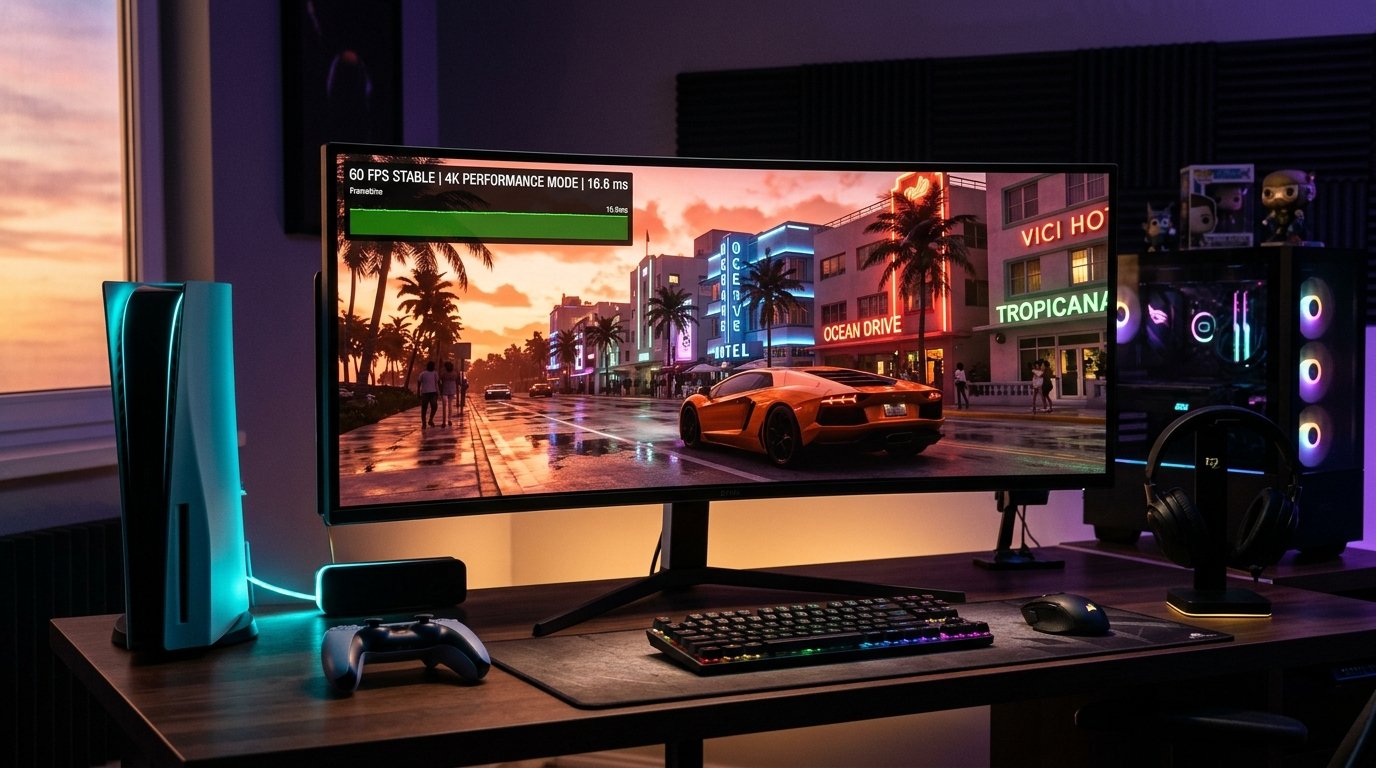
Everyone wants that buttery-smooth motion when tearing through the neon-soaked streets of Vice City. To get 60 FPS in GTA 6, your primary route will be selecting the “Performance Mode” within the game’s graphics settings on PlayStation 5 or Xbox Series X|S. This mode prioritises frame rate over raw resolution, ensuring the gameplay feels responsive, fluid, and significantly more immersive during high-speed chases.
If you are playing on a high-end PC, achieving a stable 60 FPS will depend entirely on your hardware capabilities, likely requiring the use of upscaling technologies like DLSS or FSR to maintain high frame rates at 4K. For console players, the choice often comes down to a fundamental trade-off: do you want the stunning visual fidelity of native 4K, or the competitive edge of a stable 60 FPS? Understanding these GTA 6 Graphics Modes Explained: Performance Mode (60 FPS) vs Fidelity Mode vs 40 FPS Balanced is the first step to optimising your experience.
Understanding the Performance vs. Fidelity Trade-off
Rockstar Games has a history of offering multiple visual profiles to accommodate different hardware strengths. In previous titles, we’ve seen the divide between “Fidelity” modes, which push every pixel to its limit at 30 FPS, and “Performance” modes, which sacrifice some texture resolution and lighting effects to hit that crucial 60 FPS mark. In a massive open world like Leonida, where dynamic weather and dense NPC crowds can tank your frame rate, knowing which mode to toggle is vital.
For those looking to bridge the gap between these two worlds, the hardware you own matters immensely. We have put together a quick breakdown of what to expect across different setups:
| Platform / Mode | Target Frame Rate | Visual Priority | Best For |
|---|---|---|---|
| Performance Mode (Standard Console) | 60 FPS | Motion Fluidity | High-speed driving & combat |
| Fidelity Mode (Standard Console) | 30 FPS | Native 4K Detail | Cinematic exploration |
| PS5 Pro / High-End PC | 60+ FPS | Upscaled 4K (PSSR/DLSS) | The ultimate enthusiast experience |
| Mid-Range PC | 60 FPS | 1080p / 1440p | Budget-conscious smoothness |
The PS5 Pro Advantage: A Smoother Leonida?
If you are worried that “Performance Mode” on a standard console might look a bit too soft or blurry, the PlayStation 5 Pro might be your saving grace. With the introduction of PSSR (PlayStation Spectral Super Resolution), there is a strong possibility that the Pro will allow players to hit 60 FPS while maintaining a much higher perceived resolution than the base model. If you are debating whether to upgrade your hardware before launch, check out our deep dive on GTA 6 on PS5 Pro vs Base PS5: Is the $700 Console Upgrade Worth It for 60 FPS & PSSR?
The goal for many players is to achieve “60 FPS at 4K,” which is the holy grail of modern gaming. While standard consoles may struggle to hit this simultaneously, the combination of AI-driven upscaling and improved hardware architecture makes it a realistic target for the next generation of play.
Optimising Your Display for Maximum Smoothness
Even if the game is running at 60 FPS, your experience can feel “choppy” if your television or monitor isn’t configured correctly. To truly feel the impact of a higher frame rate, you need to ensure your display is communicating effectively with your console or PC. This involves more than just plugging in an HDMI cable; you need to ensure features like Variable Refresh Rate (VRR) and high refresh rate modes are active.
To avoid input lag and screen tearing during intense police pursuits, we highly recommend following our Best TV and Monitor Settings for GTA 6: 4K, 120Hz, VRR & HDR Optimization Guide. Setting up your HDR correctly alongside a stable frame rate is what separates a mediocre experience from a truly next-gen one.
Frequently Asked Questions
Will GTA 6 have a 120 FPS mode?
While not officially confirmed by Rockstar, high-end PCs and the PS5 Pro may support higher refresh rates. However, given the immense complexity of the Leonida environment, a stable 60 FPS is the more likely target for most players.
Does Performance Mode make the game look blurry?
It can. Because Performance Mode often uses dynamic resolution scaling to maintain 60 FPS, the resolution may drop during intense scenes (like heavy rain or explosions). Using a high-quality upscaler like PSSR or DLSS helps mitigate this blurriness.
Can I get 60 FPS on an older console?
No. GTA 6 is being built specifically for current-gen hardware (PS5 and Xbox Series X|S) and beyond. Older hardware like the Xbox One or PS4 will not be able to handle the engine requirements for 60 FPS gameplay.



5 thoughts on “How to Get 60 FPS Gameplay in GTA 6: The Ultimate Performance Guide”