
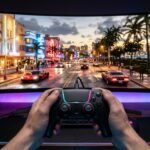
When console players boot up a modern blockbuster on PlayStation 5 or Xbox Series X, the very first screen to appear is almost always the same: Select Your Preferred Display Mode. For Grand Theft Auto VI, choosing the right visual setting will fundamentally shape your journey across Leonida.
Do you want maximum graphical splendor with full hardware ray tracing, dense pedestrian crowds, and native 4K resolution? Or do you prioritize fluid 60 FPS steering responsiveness while drifting through downtown Vice City traffic at 120 mph? And what about the emerging “40 FPS Balanced Mode” that has taken high-end living room displays by storm?
Following up on our breakdown of GTA 6 frame rate targets across all platforms, this comprehensive guide explains how each graphics mode operates, the specific visual trade-offs required, and how to select the best setting for your TV.
Mode 1: Fidelity Mode (Quality Mode — Native 4K at 30 FPS)
Fidelity Mode is the developer’s pure, uncompromised artistic vision. When Rockstar’s artists capture gameplay footage for reveal trailers, this is the visual preset you are viewing.
- Target Frame Rate: 30 Frames Per Second (locked with consistent frame pacing)
- Resolution Target: Native 3840 x 2160 (Full 4K Ultra HD)
- Frame Time Budget: 33.3 milliseconds per frame
Because the console hardware has a generous 33.3 milliseconds to render each frame (twice as long as 60 FPS), the game can allocate enormous computing power toward visual complexity: full ray-traced reflections on glass skyscrapers and wet pavement, maximum volumetric smoke and hurricane fog density, and uncompromised level-of-detail (LOD) draw distances stretching for miles into the Leonida wetlands.
Mode 2: Performance Mode (Fluid 60 FPS at Dynamic 1440p)
For millions of action gamers, 60 frames per second is mandatory. In high-speed pursuits, drive-by shootouts, and competitive multiplayer combat, higher frame rates cut input latency in half (from ~60ms down to ~30ms), making vehicle handling feel significantly tighter and aim tracking far more precise.
- Target Frame Rate: 60 Frames Per Second
- Resolution Target: Dynamic 1440p (ranging between 1080p and 1600p depending on scene load, upscaled via FSR/PSSR)
- Frame Time Budget: 16.6 milliseconds per frame
To hit 60 FPS, the console must render a new frame every 16.6 milliseconds. To achieve this speed, Rockstar must make smart visual concessions: reducing internal render resolution, simplifying distant shadow maps, scaling back pedestrian and vehicle traffic density slightly during heavy weather storms, and utilizing screen-space reflections rather than full hardware ray tracing.
Mode 3: The 40 FPS Balanced Mode (The Secret Sweet Spot)
If you own an HDMI 2.1 television that supports a 120Hz refresh rate (such as modern LG OLEDs, Sony Bravias, or Samsung QLEDs), there is a revolutionary third option that modern PlayStation studios have popularized: 40 FPS Balanced Mode.
At first glance, 40 FPS sounds like a tiny upgrade over 30 FPS. But from a physics and frame-time perspective, mathematics reveals why 40 FPS is so extraordinary:
- 30 FPS Frame Time: 33.3 milliseconds
- 60 FPS Frame Time: 16.6 milliseconds
- 40 FPS Frame Time: 25.0 milliseconds
Notice that 25.0ms sits exactly halfway between 33.3ms and 16.6ms! In practice, 40 FPS provides half the fluidity and controller responsiveness of a full 60 FPS mode, but leaves enough GPU headroom to retain native 4K resolution, full ray tracing, and maximum crowd density. Because 120 is evenly divisible by 40 (120 / 40 = 3), each frame displays for exactly three screen refreshes, resulting in perfectly smooth motion without stutter.
Side-by-Side Graphics Modes Trade-Off Matrix
Here is how the three visual presets compare directly across every major graphical metric:

Which Graphics Mode Should You Choose?
Selecting the right mode comes down to your personal visual preferences and your display setup:
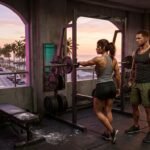
- Choose Fidelity Mode (30 FPS) if: You are playing through the single-player story mode at your own pace, soaking in the narrative cinematics, taking in-game photography with Lucia and Jason, and playing on a 60Hz 4K TV where visual clarity and lighting realism take top priority.
- Choose Performance Mode (60 FPS) if: You prioritize high-speed supercar driving, intense shootouts with law enforcement, or plan to spend significant time in future GTA 6 multiplayer lobbies where every millisecond of controller input latency matters.
- Choose Balanced Mode (40 FPS) if: You own a 120Hz VRR-capable TV. It offers the absolute best of both worlds — providing the razor-sharp visual fidelity and ray tracing of Quality Mode with noticeably smoother controller responsiveness.
Frequently Asked Questions About GTA 6 Graphics Modes
Can you switch graphics modes in GTA 6 without restarting the game?
In modern current-gen releases (including GTA V Expanded & Enhanced), graphics modes can be toggled seamlessly on the fly inside the Display Settings menu without restarting the game or losing progress.
Does Performance Mode disable ray tracing completely?
On base PS5 and Xbox Series X, Performance Mode typically reduces ray tracing to key reflective surfaces or falls back to optimized screen-space reflections. On the PS5 Pro, however, PSSR AI upscaling allows ray tracing to remain enabled even in 60 FPS Performance Mode.
Why can’t base consoles run GTA 6 at native 4K 60 FPS with ray tracing?
Rendering a dynamic open world with volumetric clouds, realistic water displacement, hundreds of simulated NPCs, and physics calculations at 4K resolution (8.3 million pixels per frame) sixty times per second requires GPU horsepower that exceeds the physical cooling and power limits of a standard $500 console.
Article updated November 2026. Graphics mode technical parameters reflect standard ninth-generation rendering pipelines and Rockstar Games engine documentation.



2 thoughts on “GTA 6 Graphics Modes Explained: Performance Mode (60 FPS) vs Fidelity Mode vs 40 FPS Balanced”